Turn an ORD part file into G-code your CNC can run.
Already have ORD part files and need G-code? Open the file, check the path in the preview, and save clean Mach3/Mach4 G-code. Set your feed rate, speed values, pierce dwell and program header and footer once — the program remembers them.
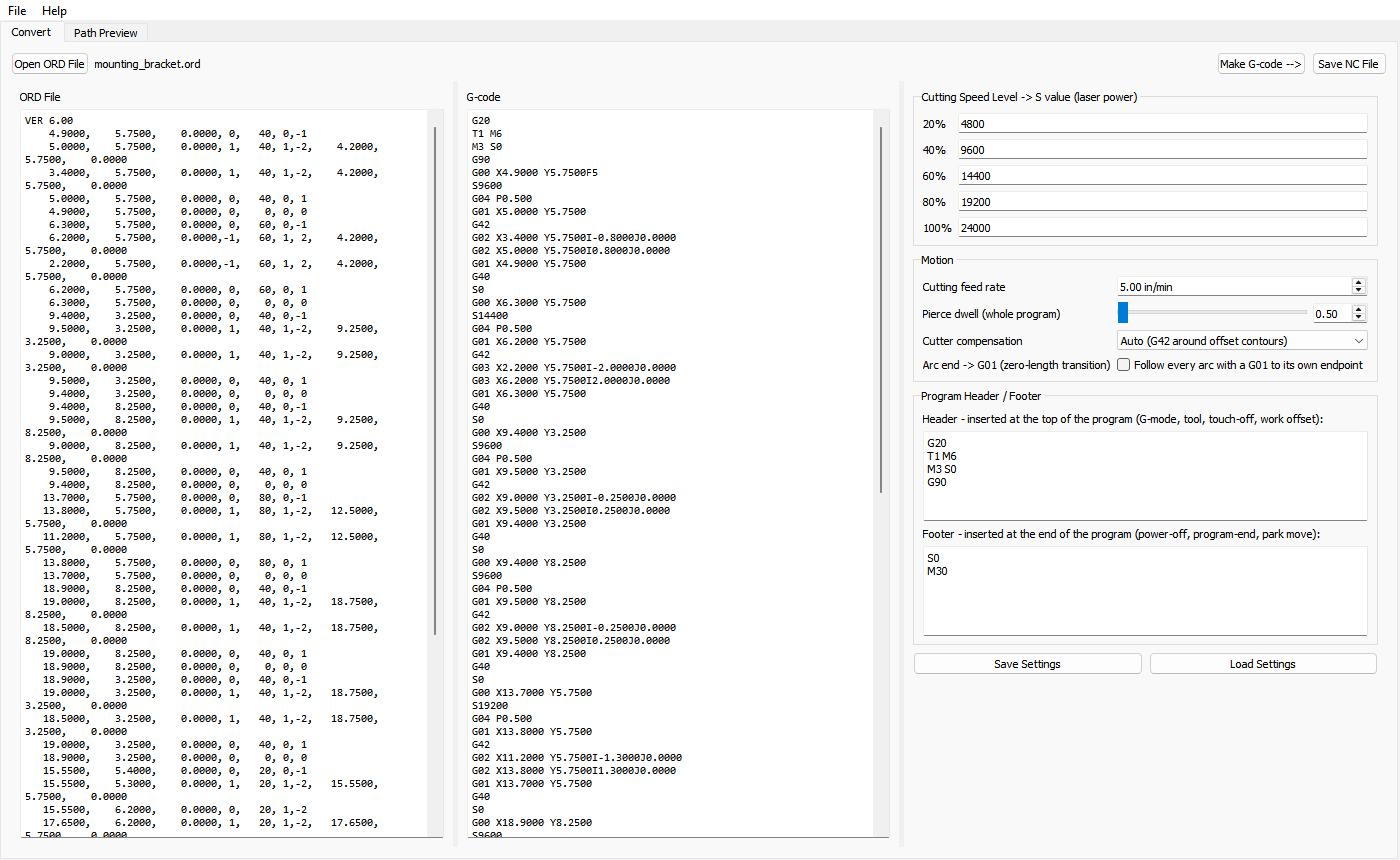
Open an ORD part file and see the file and the generated G-code side by side
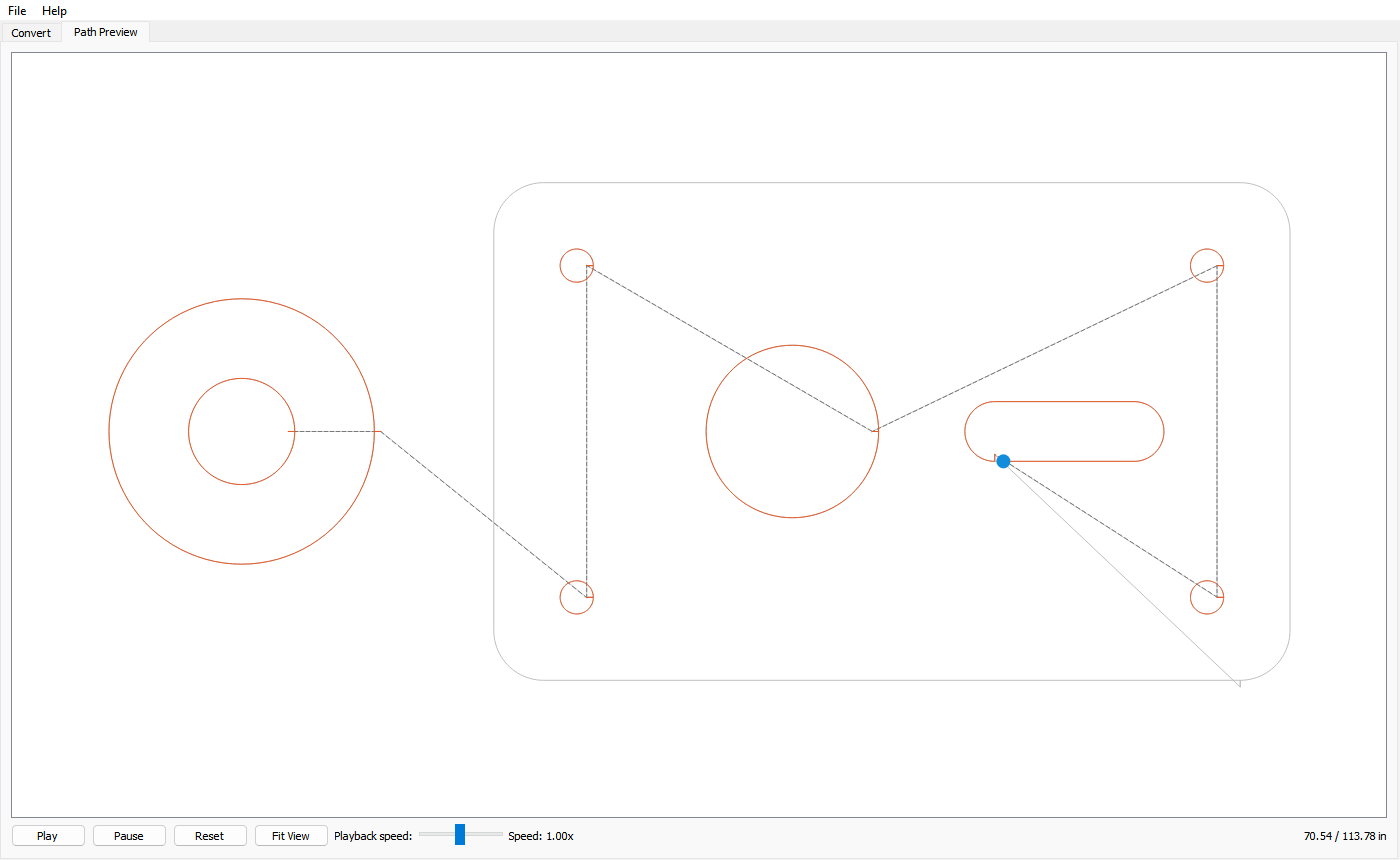
Path Preview plays back the cut path, with dashed travel moves
Set the cutting feed rate, speed-level S values and pierce dwell
Automatic cutter compensation (G42) around offset contours, or turn it off
Editable program header and footer (G-mode, tool, work offset, program end)
Save and load your settings, and the program remembers them between sessions
Optional safe travel height (Z raise/lower around rapid moves), with an optional multi-pass mode for milling. The G-code can drive a waterjet nozzle or a milling bit
A small, quick program — no drawing tools to learn
See it
ORD file on the left, G-code in the middle, feeds, speeds and header/footer settings on the right (click to enlarge)Path Preview plays back the cut path before you save anything (click to enlarge)
How it works
1. Open your ORD part file
2. Set the feed rate, speeds and header/footer (once — they're remembered)
3. Click Make G-code and check the Path Preview
4. Save the NC file and load it into your machine control
Which one is right for you?
Choose the Converter if you already have ORD files and only need G-code.
Choose Pro if you also want to draw and edit parts, and export ORD files and G-code.
Choose Standard if you want to draw and export ORD files only — no G-code.
Trial and license
Try everything free for 60 days. After that, saving NC files (Save NC File) needs a license key.
Opening files, viewing the G-code and the Path Preview keep working. Your drawings are never locked. Buy once, use it forever — no
subscription. Your key arrives by email; enter it under Help > License. Moving to a
new computer? Just register again.
$49.99 — one-time purchase, unlocks the full
version of 60Ticks ORD-2-NC Converter forever.
Requires Windows 10 or 11 (64-bit). The program runs on the PC you draw on. To cut, save
your file and carry it to your machine's controller PC on a USB stick — the
controller PC does not need this software or a recent version of Windows.
60Ticks is not affiliated with or endorsed by any machine or software manufacturer.
Product and file-format names belong to their owners.
More 60Ticks tools
60Ticks Waterjet Pro
Draw, edit and cut-order your parts, then export ORD part files and Mach3/Mach4 G-code.