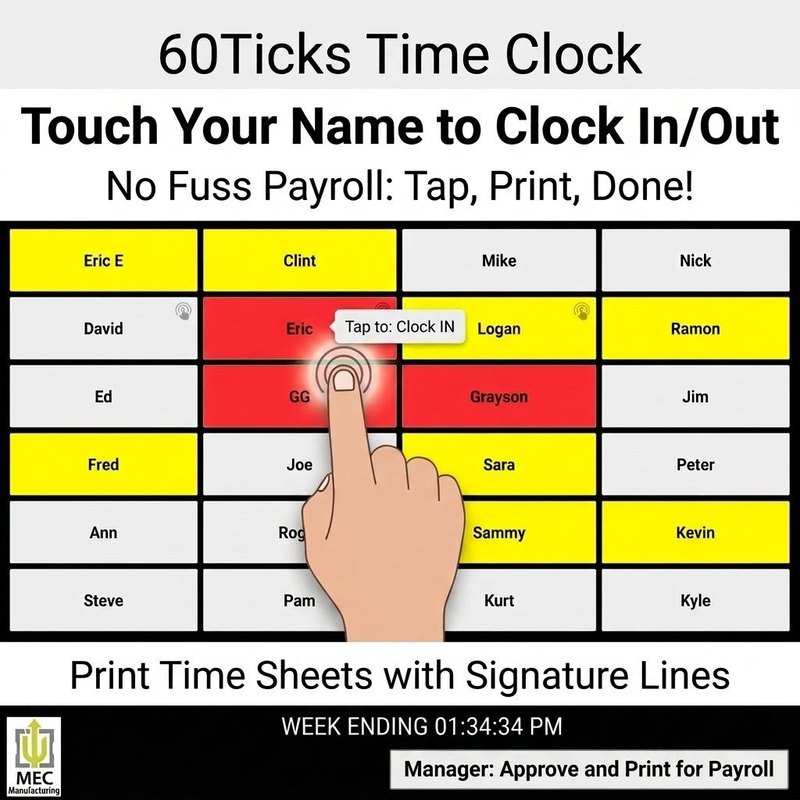
60Ticks mascots pointing at a chart showing time saved

A time clock your crew can actually use.

60Ticks Time Clock runs on a touchscreen by the door. Employees tap their name and clock in or out — no logins, no app, no fuss. At the end of the week you print time sheets with signature lines and hand them straight to payroll.

Download Free Trial Buy Full Version — $49.99
Free to try. No credit card, no account.

What it does

Touchscreen clock in / clock out, lunch start / lunch end
One tap per employee — no passwords or badges to lose
Runs on a plain Windows PC with any touchscreen monitor
Live daily and weekly totals on screen for every employee
Track time against jobs and departments
Automatic overtime split once the week passes 40 hours
Time edits are logged with a note — corrections, not cover-ups
Weekly time sheets with approval and employee signature lines
Batch-print every employee's sheet at once for payroll

See it

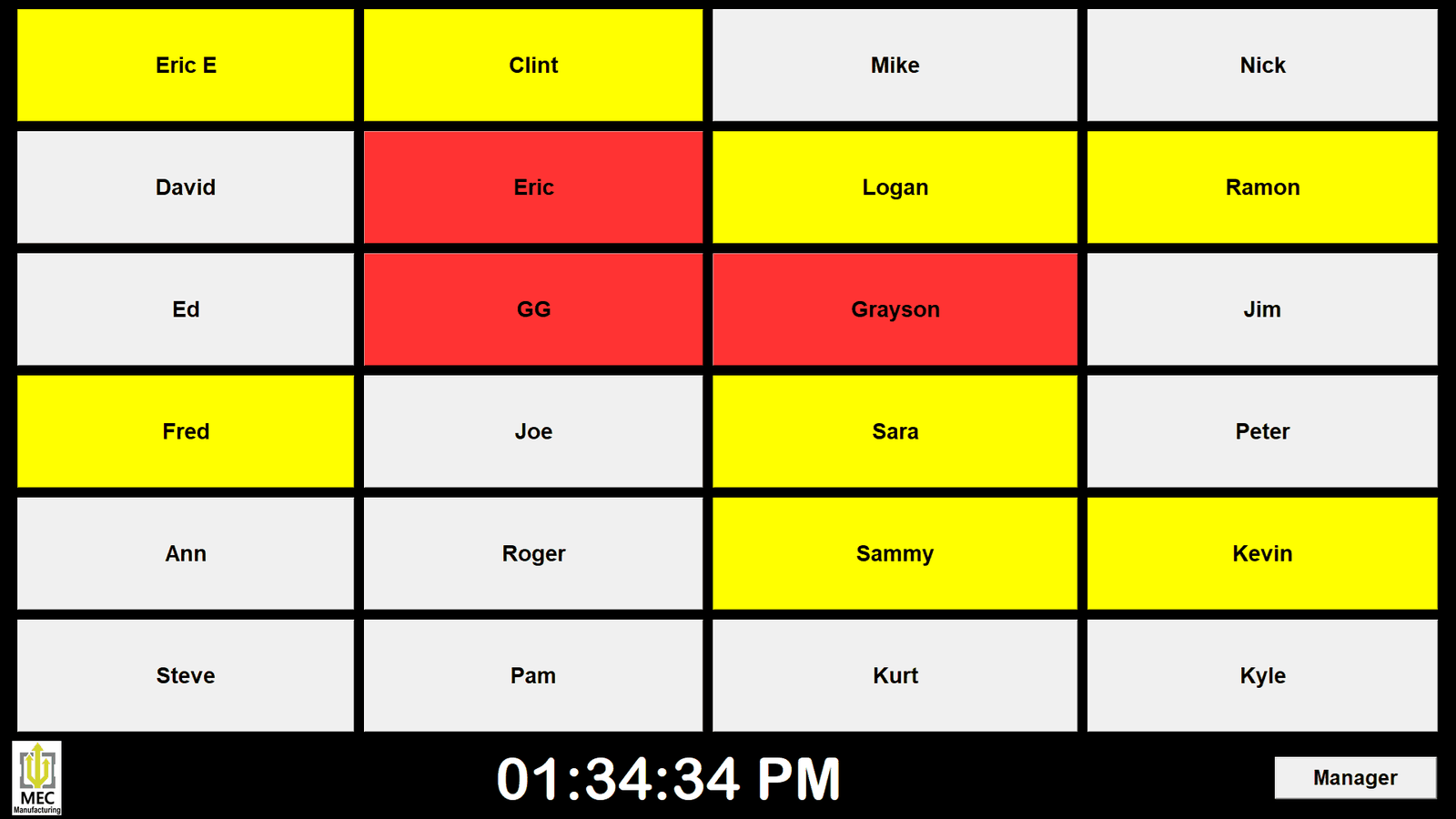
Kiosk board showing every employee as a tile, colored by clock status
The board — who's in, at lunch, or out at a glance (click to enlarge)
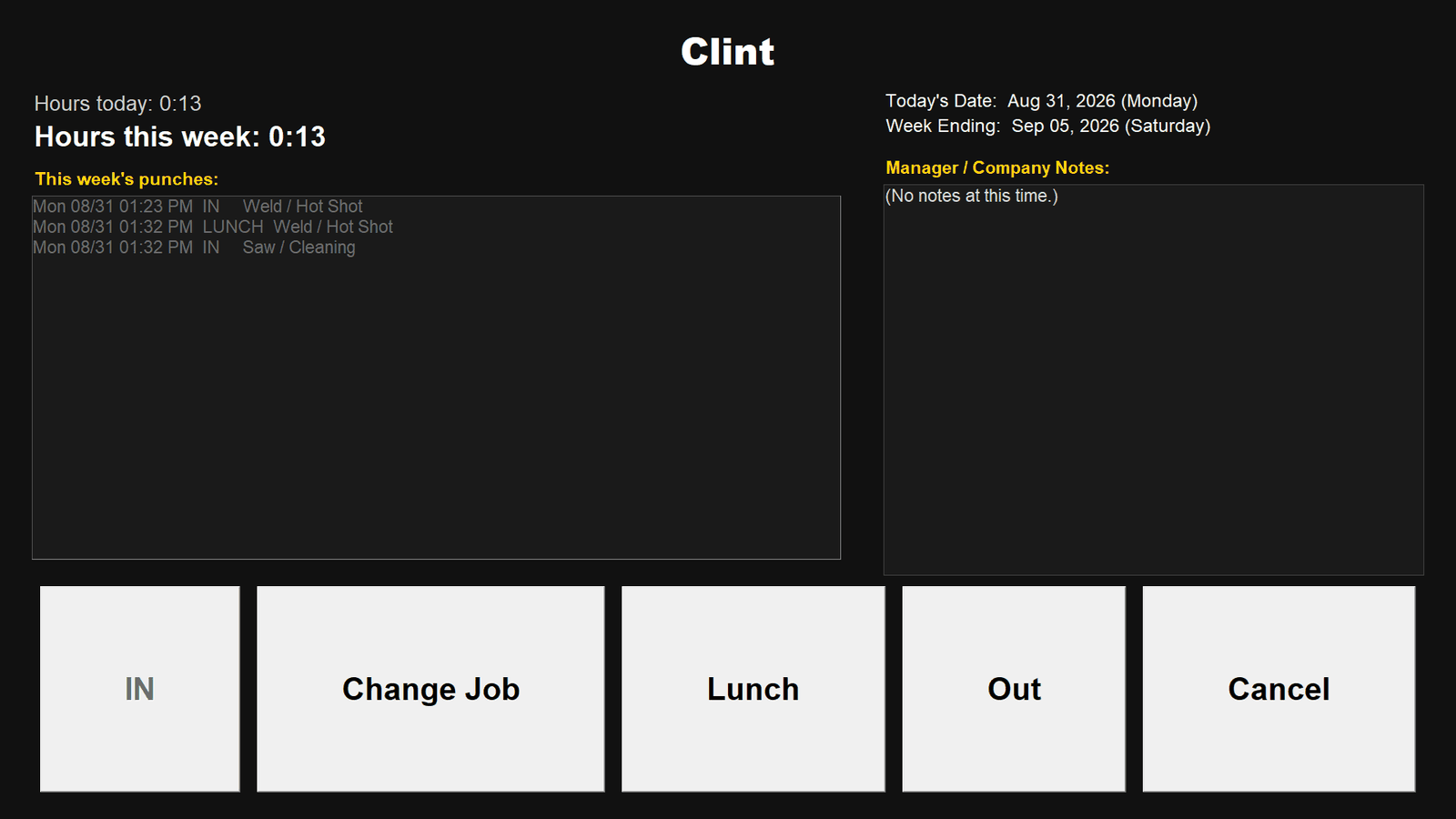
Employee screen with hours, this week's punches, and clock action buttons
Tap your name — clock in/out, lunch, switch jobs (click to enlarge)
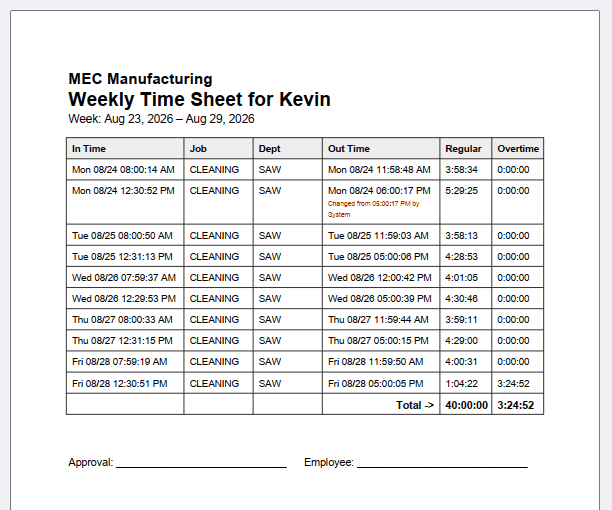
Printed weekly time sheet with regular and overtime totals and signature lines
Weekly time sheet — edit trail and signature lines (click to enlarge)

How it works

1. Install on the PC wired to your entry touchscreen
2. Add your employees once
3. Crew taps their name and Clock In / Clock Out each shift
4. Friday: print the week's time sheets, collect signatures, send to payroll

$49.99 — one-time purchase, unlocks the full version forever. No subscription, no per-employee fees, ever.

Requires Windows 10/11. A touchscreen monitor is recommended for the entry kiosk, but a mouse and keyboard work fine too. Prints to any printer Windows can see.

More 60Ticks tools

Sheet Metal Scanner

Turn a photo of a flat part into a cut-ready DXF for your plasma, laser, or waterjet.

View →

Daily Checklist

A simple, free task list app. No account, no catch.

View →

Schedule 2 Display

Put your shop's job schedule on a TV — auto-updating, no whiteboard.

View →

Waterjet NC Converter SOON

Convert proprietary waterjet path files into NC code Mach3 can run.

View →

Waterjet Path SOON

Draw waterjet cut paths fast, without a heavyweight CAD/CAM package.

View →