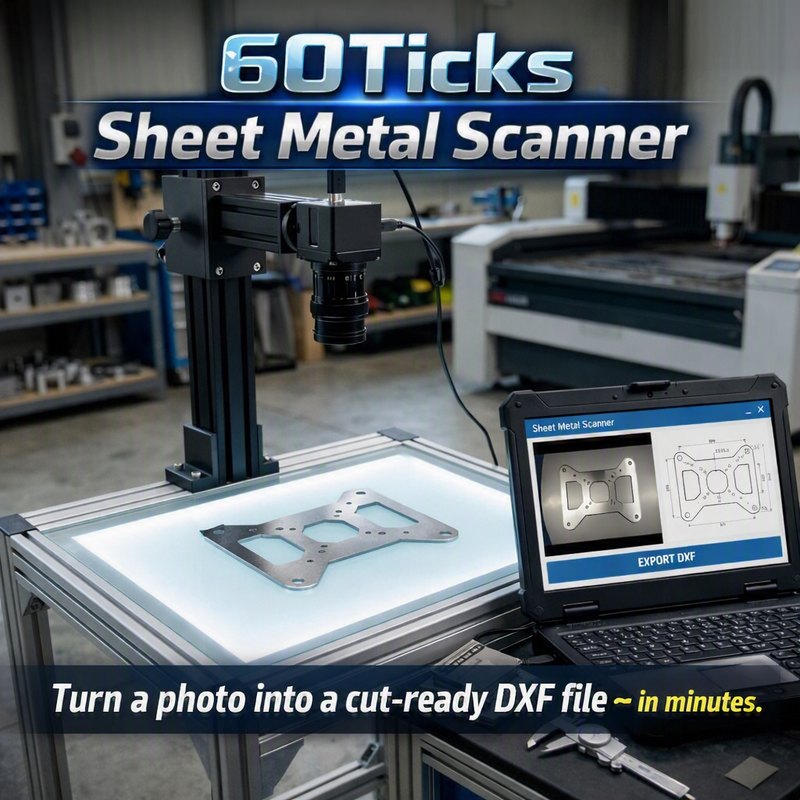
Sheet Metal Scanner
Snap a photo and the software finds every edge and hole, then exports a DXF with a
cleaned-up copy of the part — true circles, straight sides, sharp corners — ready
for your plasma table, laser, or waterjet.
Duplicate a part you don't have a drawing for
Quick prototyping and one-off fabrication
Digitize brackets, plates, gaskets, and complex artwork
Great for home shops and small fab shops running plasma, laser, or waterjet CNC
Convert logos, clip art, or silhouette images into cut-ready DXF files — no scanning setup needed
How it works
New to scanning parts? Read the step-by-step guide: How to turn a photo of a part into an accurate DXF — setup, calibration, lighting, and the shop tip that fixes most reflection problems.
1. Place your part on a backlit bed and snap a photo (or open an image file instead)
2. The software finds the part's edges and holes automatically
3. Export a DXF with two copies: the raw scan, and a cleaned-up copy with true circles, straight sides and sharp corners
4. Open it in your CAD/CAM software, check a dimension, and cut
Honest heads-up on accuracy: this isn't a $10,000 CMM system. With the grid
calibration (one photo of a drilled or cut hole plate the software designs for you), expect
about ±1/64" (±0.016") across the area the plate covers. With the simple
scale-only calibration, expect more like ±0.05" across a full bed, better near the
middle. Results depend on your camera, lighting and how flat the part lies — great for
prototyping and duplicating parts, not built for aerospace-tight tolerances. Try your free
scans and judge for yourself.
What's included
Grid calibration — corrects lens distortion, camera tilt and scale from one photo
Automatic part-thickness correction and sub-pixel edge accuracy
Clean DXF output: true circles, straight sides, sharp corners, layers per part
Auto Adjust for backlit, white or black backgrounds, plus saved camera settings
Named presets — save your dialed-in settings per material/thickness
Also works on JPG, PNG, BMP, and other image files
$49.99 — one-time purchase, unlocks unlimited scanning
forever. No subscription, no per-scan fees, ever.
Requires Windows 10/11, a USB webcam or machine vision camera, and a backlit scanning
surface (a light table or acrylic bed lit from behind works great, but a plain white
background such as a sheet of large paper works too).
Current version 2.0, digitally signed by Clinton Smart. The download includes the User Manual and a Quick Start guide (PDF).