Put your shop schedule on a TV. No whiteboard, no spreadsheet.
Schedule 2 Display turns any spare Windows PC into a live job schedule board for your
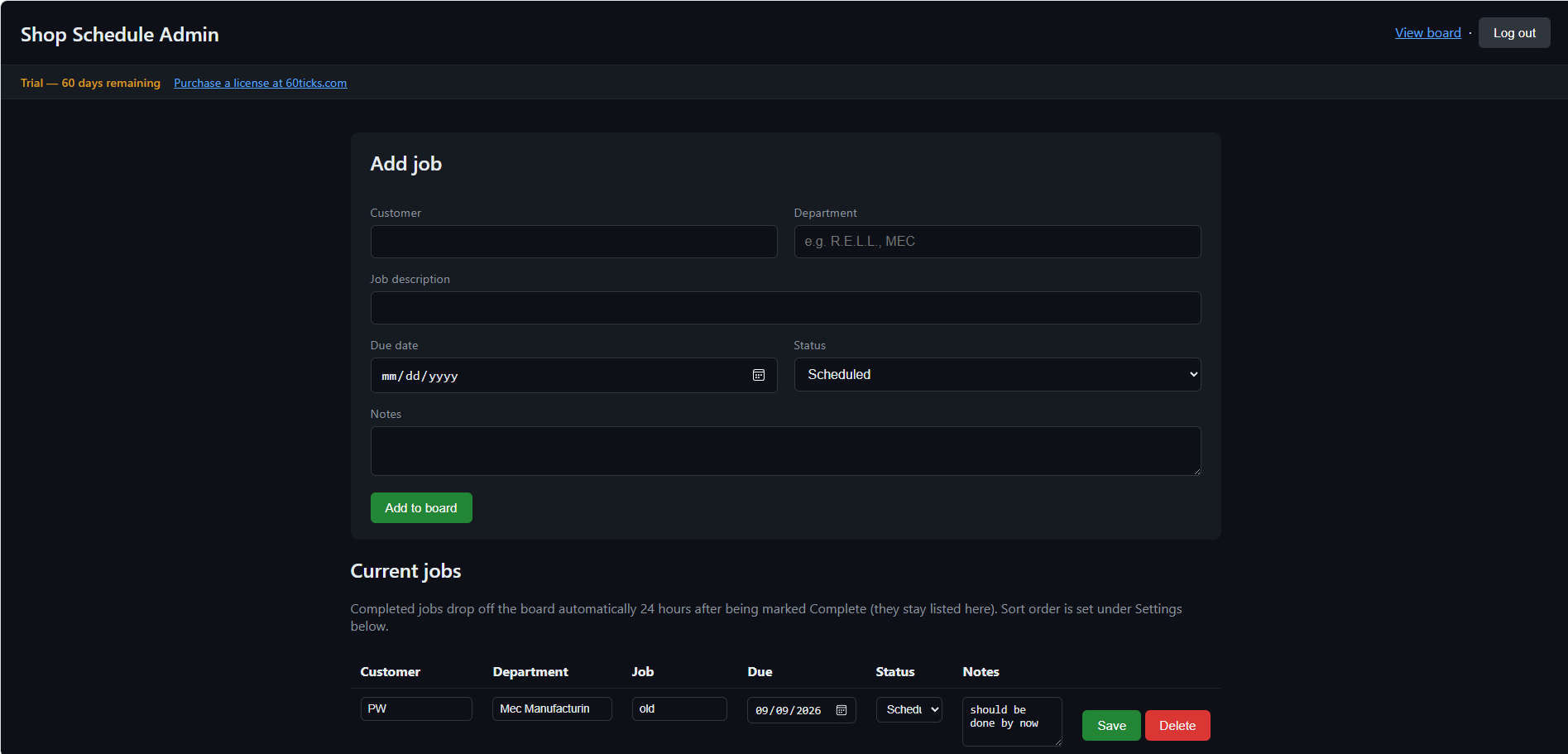
shop floor. Add and edit jobs from a simple password-protected admin page — the
board on the TV updates on its own within seconds. Nobody has to touch it.
Job list with customer, department, description, due date, status, and notes
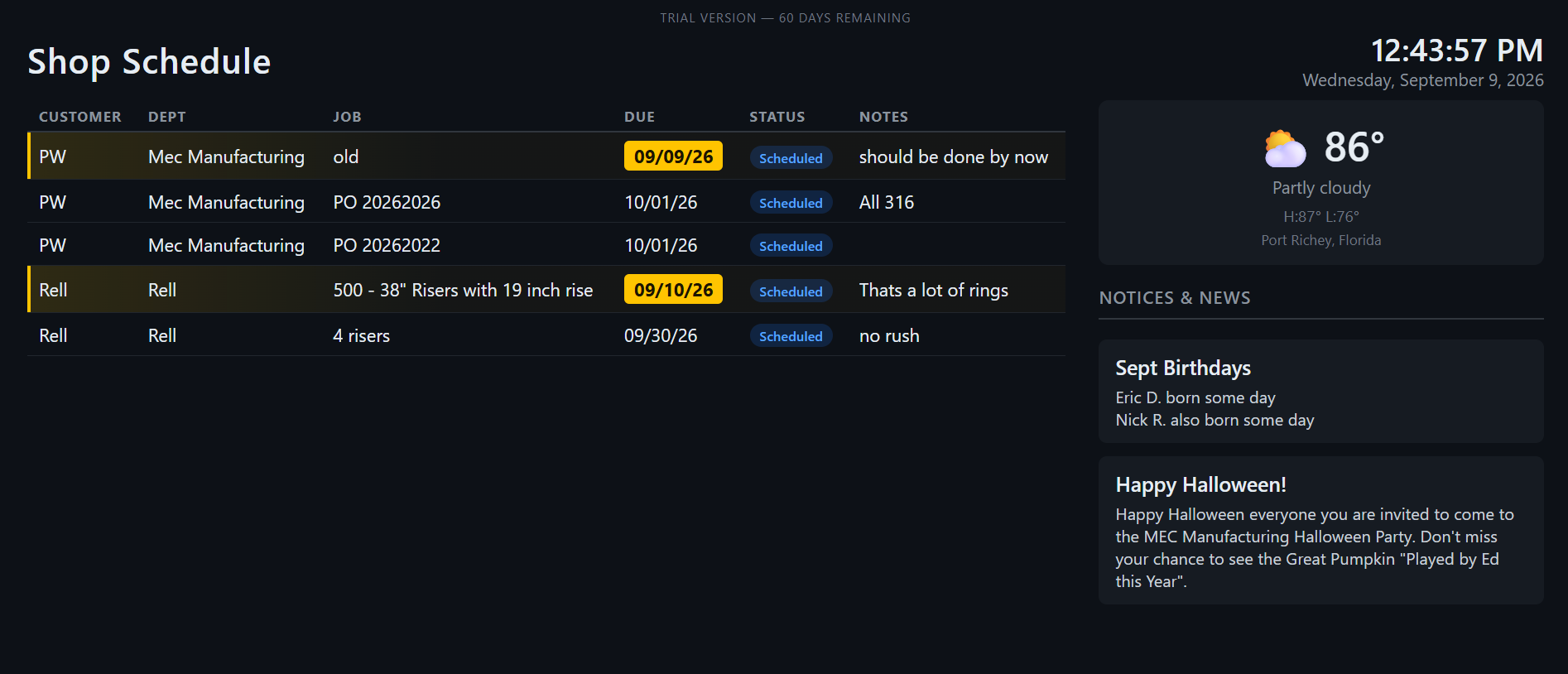
Automatic color-coding — overdue jobs turn red, jobs due within 5 days turn amber
Completed jobs drop off the board 24 hours after being marked done — no manual cleanup
Sort by two fields at once (e.g. Department, then Due Date), ascending or descending
A side column for company notices & news, plus a live local weather widget
Runs entirely on your own network — no cloud account, no monthly fee
See it
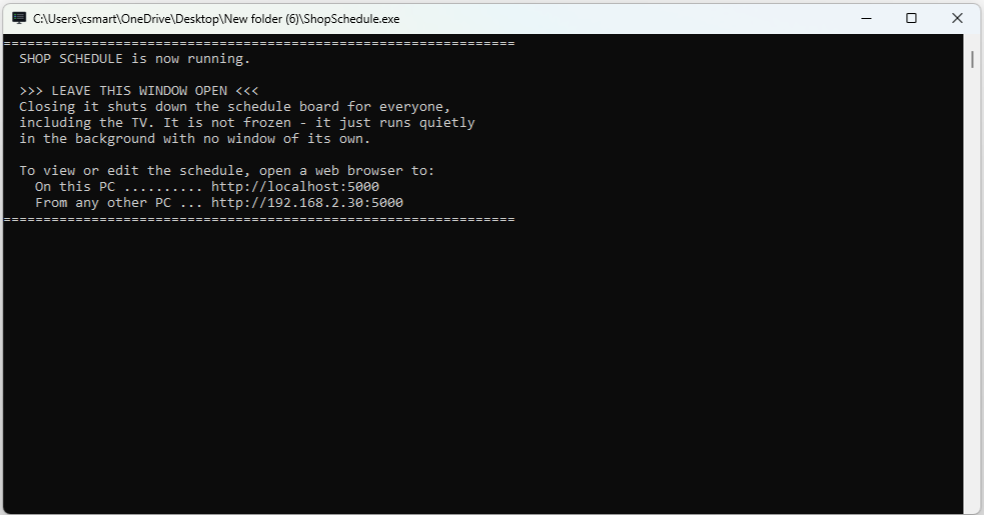
The board — overdue and due-soon jobs stand out at a glance (click to enlarge)Add or edit a job in seconds from any browser on the network (click to enlarge)Runs quietly in a plain window — with its own on-screen instructions (click to enlarge)
How it works
1. Install on any spare Windows PC on your shop network
2. Add your jobs from the admin page — customer, department, due date, status
3. Point a browser in kiosk mode at the board from a TV or monitor
4. Update jobs any time from any PC on the network — the TV picks it up automatically
Getting started — where’s the admin page?
Run the Setup in the download (it installs to C:\Schedule2Display, adds a Start menu
shortcut and lets the board through Windows Firewall), then start Schedule 2 Display and leave
its window open; it shows the addresses to use.
The board (for the TV) is http://localhost:5000 on that PC, or
http://<that PC’s address>:5000 from any other PC. The
admin page is the same address with /admin on the end, for example
http://localhost:5000/admin. The first time you open it, it asks you to create an
admin password. Forgot it? The README.txt in the download shows how to reset it
without losing any jobs.
Need more than one TV?Schedule 2 Display Pro gives each department its own TV
from the same schedule, and adds job numbers, priorities and production statuses like Waiting
Material and Ready to Ship. Your existing schedule carries straight over if you upgrade.
$49.99 — one-time purchase, unlocks the full version
forever. No subscription, no per-screen fees, ever.
Requires Windows 10/11 on the PC running it (an old office PC works fine) and a TV or
monitor to display the board — any web browser in fullscreen/kiosk mode works, no
special hardware or app needed on the display side. Current version 1.1.2, digitally signed by
Clinton Smart. Installing a newer version keeps your jobs and settings.
Version history
Need an older version? Download links are next to each one below, and every 60Ticks program’s older versions are on the Older versions page.
Version 1.1.2 (current)
Setup fix: if you click Browse to pick your existing folder when updating, it now installs into that exact folder (before, it added a new empty subfolder, so an update could look like it lost your data — the data was still in the old folder).
Now installs with a Setup program: installs to C:\Schedule2Display, adds a Start menu shortcut, sets up Windows Firewall for the TVs, and updates never touch your jobs or settings.
Rebuilt as a smaller program (about 15 MB) that starts in about half a second.
Version 1.1 · download 1.1 (runs from the zip, no installer)
No more lost edits: rows you change in the admin job and notice lists are highlighted, and any Save button (or “Save all changes”) saves every changed row.
TVs pick up new settings (title, weather, promo video) within about 10 seconds.
The program window and a new README.txt show where the admin page is.
Why I built it
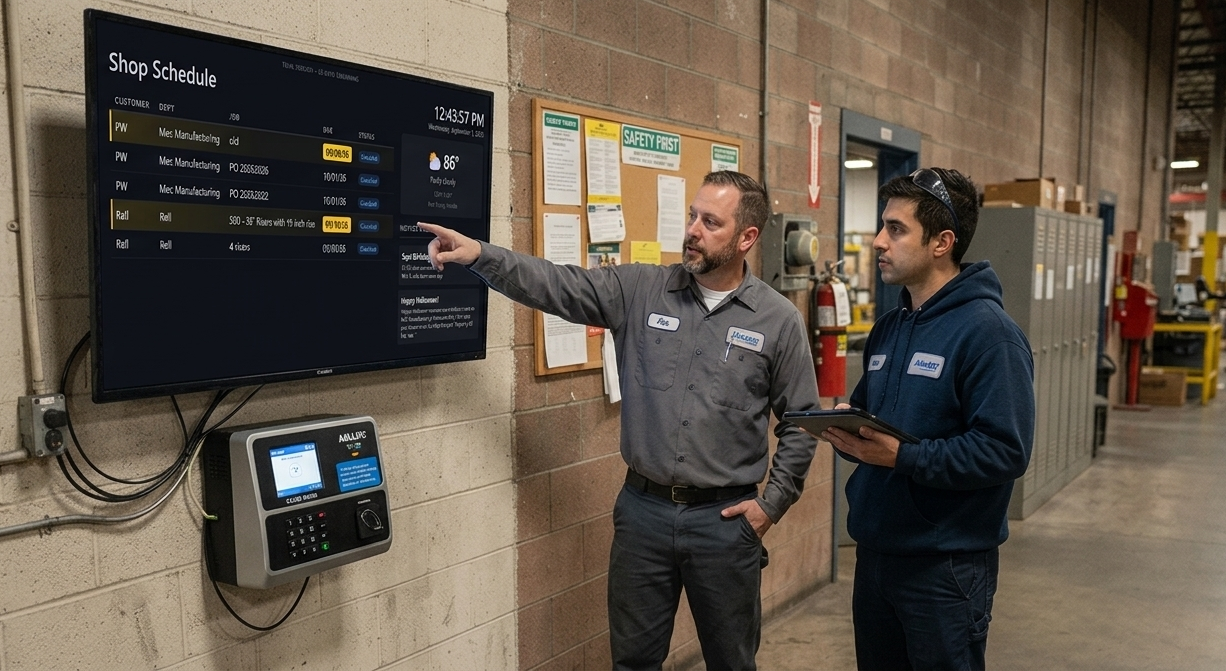
Our crew kept walking up to the office to ask what was next. So we put the schedule on a 50″ TV in the entryway of our building.
Now everyone can see what work is coming and when it’s due without leaving the floor. And, honestly, it doesn’t hurt when a new customer walks in and sees how full our schedule usually is.
Ask a question, suggest a feature, or tell us what isn’t working.
Why a form? Because the minute we post our email address, the spam bots find it too. Here’s the deal: a real person (me) answers as soon as I can, and after that we leave you alone unless you ask for more. Give it a try.
More 60Ticks tools
Schedule 2 Display Pro
A schedule TV for every department, with job numbers, priorities and production statuses.